
Introduction
Buying a house, plot, apartment, shop, or commercial property in Pakistan involves several government taxes and transfer charges. Many property buyers only focus on the purchase price and forget to calculate the additional taxes payable during the transfer process.

To solve this problem, Civil Construction Guide has developed a free Property Tax Calculator that instantly estimates the taxes and fees payable during property transfer.
This calculator is especially useful for:
- Property Buyers
- Property Sellers
- Real Estate Agents
- Civil Engineers
- Contractors
- Property Investors
- Overseas Pakistanis
In this guide, we will explain how to use the calculator, understand the results, and benefit from the tax relief measures announced in Budget 2026-27.
Discover More
Material Rates Grey Structure Material Prices Plaster Calculator PCC Concrete Calculator Block Masonry Calculator Statistical Bulletin 2026 Civil Engineering Calculators Finishing Material Prices Sanitary Material PricesUse the Property Tax Calculator
👉 Calculator Link: Property Transfer Tax Calculator 2026-27
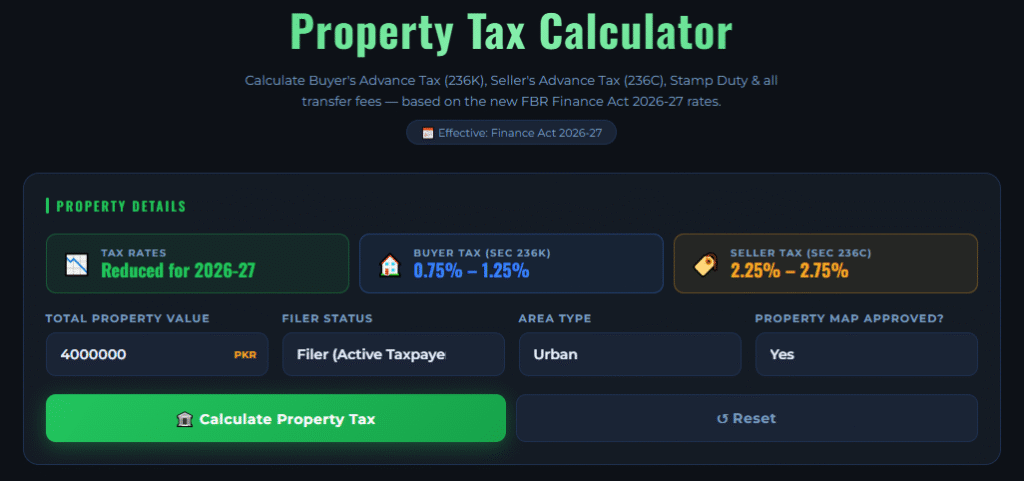
The calculator helps estimate:
✔ Stamp Duty
✔ Capital Value Tax (CVT)
✔ Withholding Tax (WHT)
✔ Registration Fee
✔ Total Transfer Cost
Why Property Tax Calculation Is Important
Property transfer taxes can amount to hundreds of thousands of rupees depending on the property value.
Without proper planning, buyers may face:
- Budget shortages
- Delays in property registration
- Unexpected transfer costs
- Financial planning issues
Using the calculator before purchasing property helps estimate the total amount required for transfer.
Step-by-Step Guide to Use Property Tax Calculator
The calculator is designed to be simple and user-friendly.
Step 1 – Enter Property Value
In the first field, enter the total value of the property.
Example:
Property Value = Rs. 10,000,000
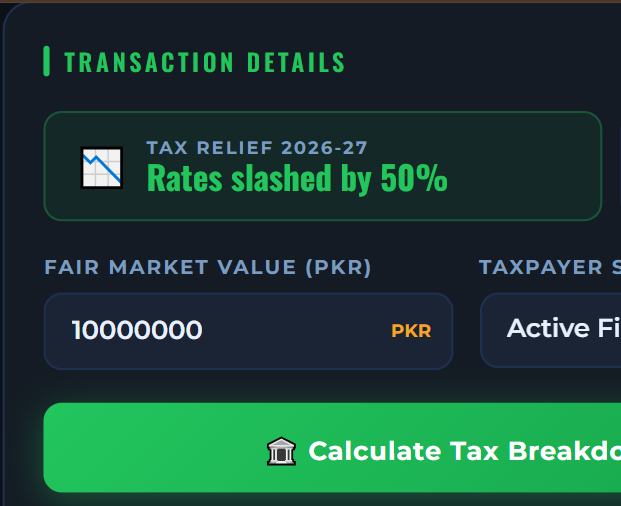
The property value should preferably be entered according to the applicable DC Rate, FBR Valuation Rate, or transaction value used for registration purposes.
Step 2 – Select Property Type
Choose the appropriate property category.
Options generally include:
Discover More
Property Tax Calculator Unit Converter Quantity Takeoff Sheets Construction Cost Calculator Building Materials House Plans Videos Concrete Calculator Column Steel CalculatorResidential Property
Examples:
- Houses
- Villas
- Apartments
- Residential Units
Commercial Property
Examples:
- Shops
- Offices
- Commercial Buildings
- Plazas
Plot
Examples:
- Residential Plot
- Commercial Plot
Different property categories may attract different tax implications.
Step 3 – Select Tax Status
Choose your tax status:
Filer
A filer is a person registered with FBR and regularly files income tax returns.
Benefits:
✔ Lower tax rates
✔ Reduced withholding taxes
✔ Lower transaction cost
Non-Filer
A non-filer is a person who is not actively filing income tax returns.
Disadvantages:
❌ Higher withholding taxes
❌ Increased transfer cost
❌ Additional tax burden
Step 4 – Click Calculate
After entering all information, click the Calculate button.
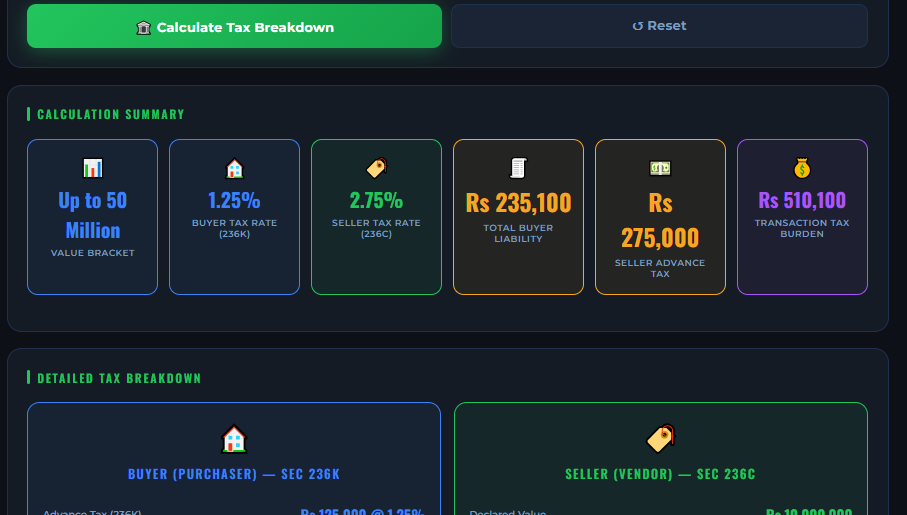
The calculator instantly displays the complete tax breakdown.
Understanding Calculator Results
After calculation, you will see multiple tax components.
Let us understand each result.
1. Stamp Duty
Stamp Duty is charged during the registration and transfer of property ownership.
Purpose:
- Legal documentation
- Government revenue collection
- Property registration validation
Formula:
Stamp Duty = Property Value × Applicable Rate
Discover More
Property Tax CalculatorUnit ConverterQuantity Takeoff SheetsConstruction Cost CalculatorBuilding MaterialsHouse PlansVideosConcrete CalculatorColumn Steel Calculator
2. Capital Value Tax (CVT)
CVT is a government tax charged on the assessed value of the property.
This tax is generally calculated as a percentage of property value.
The calculator automatically estimates this amount.
3. Withholding Tax (WHT)
Withholding Tax is one of the most important transfer taxes.
The amount depends heavily on:
- Property value
- Filer status
- Applicable government tax rules
The calculator automatically adjusts the estimate according to selected status.
4. Registration Fee
Registration Fee is charged by the Registrar Office for officially recording property ownership.
This fee is mandatory for legal transfer.
5. Total Transfer Cost
The final result displayed by the calculator is:
Total Transfer Cost
This includes:
✔ Stamp Duty
✔ CVT
✔ WHT
✔ Registration Fee
This gives buyers a complete picture of the additional amount required beyond the purchase price.
Practical Example
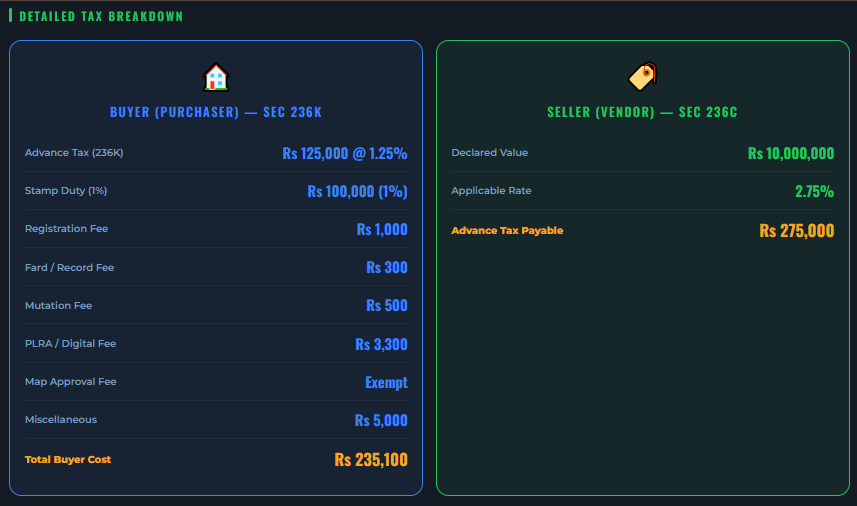
Suppose:
Property Value = Rs. 10,000,000
Property Type = Residential
Status = Filer
After clicking Calculate, the calculator will estimate:
- Stamp Duty
- CVT
- WHT
- Registration Fee
- Total Transfer Cost
This allows buyers to plan their budget before initiating the transfer process.
Discover More
Material RatesGrey Structure Material PricesPlaster CalculatorPCC Concrete CalculatorBlock Masonry CalculatorStatistical Bulletin 2026Civil Engineering CalculatorsFinishing Material PricesSanitary Material Prices
Budget 2026-27 Tax Relief Measures
The Federal Budget 2026-27 introduced several relief measures aimed at encouraging investment and reducing tax burden on taxpayers.
Some of the notable relief measures discussed in the budget include:
✔ Reduction in certain income tax slabs
✔ Relief for salaried individuals
✔ Rationalization of selected taxes
✔ Measures to encourage documented transactions
✔ Incentives for tax filers
Tax regulations continue to evolve, therefore property buyers should always verify the latest FBR notifications and provincial government rules before completing transactions.
Benefits of Using Property Tax Calculator
Instant Results
Get tax estimates within seconds.
Accurate Estimation
Reduces manual calculation errors.
Better Financial Planning
Helps estimate complete transfer expenses.
Mobile Friendly
Works on desktop, tablet, and mobile devices.
Free Tool
No registration required.
Common Mistakes Property Buyers Make
Avoid these mistakes:
❌ Ignoring transfer taxes
❌ Using incorrect property value
❌ Selecting wrong filer status
❌ Forgetting registration charges
❌ Relying only on market estimates
❌ Not checking latest tax updates
Who Should Use This Calculator?
This calculator is useful for:
- Property Buyers
- Property Sellers
- Real Estate Consultants
- Civil Engineers
- Contractors
- Builders
- Property Dealers
- Overseas Investors
Related Calculators
You may also find these tools useful:
- House Construction Cost Calculator
- RCC Slab Cost Calculator
- PCC Concrete Calculator
- Cement Concrete Calculator
- Paint Calculator
- Tiles & Marble Calculator
- Solar Load & Installation Calculator
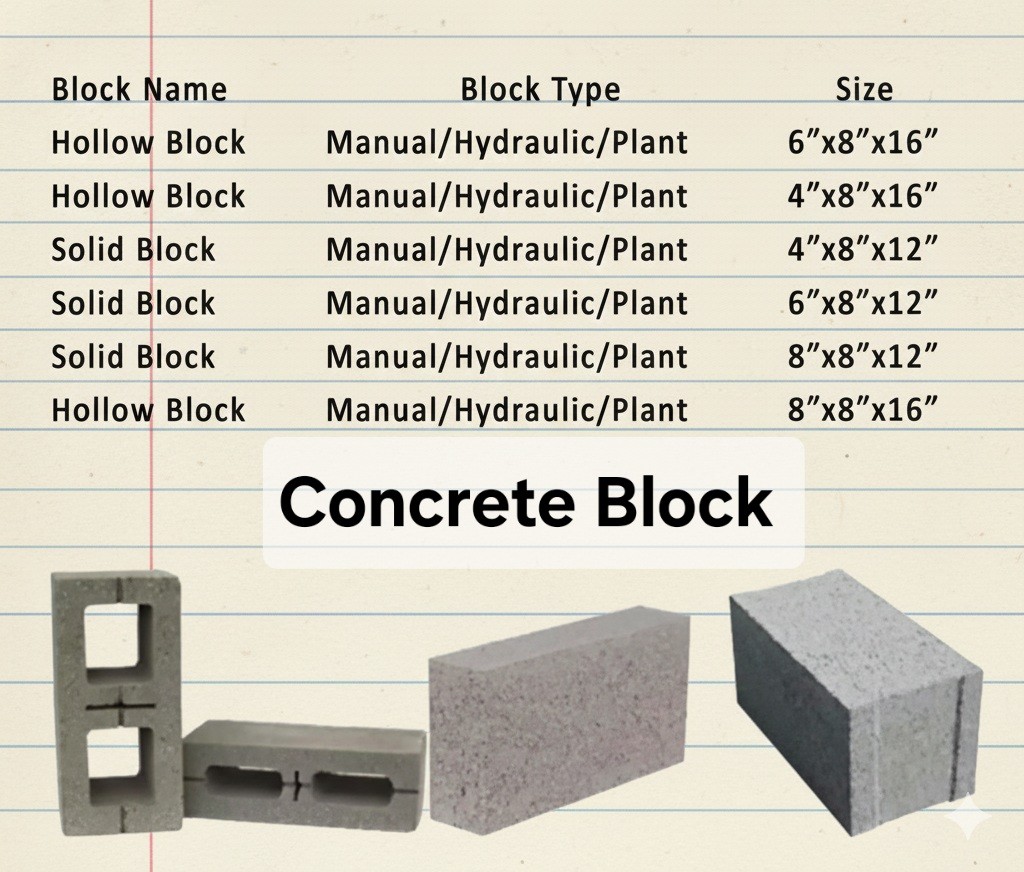
- Block Masonry Calculator
Frequently Asked Questions
Is this Property Tax Calculator free?
Yes, it is completely free to use on Civil Construction Guide.
Can I calculate commercial property taxes?
Yes. The calculator can be used for residential and commercial properties as well as plots.
Does filer status affect tax?
Yes. Filer status can significantly impact withholding tax and overall transfer cost.
Can I use the calculator before purchasing property?
Absolutely. It is recommended to estimate transfer costs before finalizing any property deal.
Are calculator results exact?
The calculator provides estimates based on applicable tax parameters. Actual taxes may vary according to government regulations and official assessments.
Conclusion
Property transfer taxes can add a substantial amount to the total cost of purchasing a property. By using the Property Tax Calculator on Civil Construction Guide, buyers can quickly estimate Stamp Duty, CVT, WHT, Registration Fee, and total transfer costs before completing a transaction.
Whether you are purchasing a house, commercial property, apartment, or plot, this calculator helps you make informed financial decisions and avoid unexpected expenses.

Muhammad Bilal is a Civil Engineer and Construction Specialist with an MS in Engineering Management and 13+ years of professional experience. He shares practical construction knowledge, cost estimation, and RCC site expertise at CivilConstructionGuide.com.